Latest Posts

Robotics, MakeCode and the BBC Micro:Bit

In February 2020, I presented to a group of fellow educators from across British Columbia sharing techniques and lessons to bring robotics and coding into their classrooms.

Beginning in Grade 3, I teach students the basic principles of JavaScript coding using various block-based programming software. In this presentation, I made use of the BBC micro:bit and Ink Smith’s K8 robot to build a program in MakeCode. Each programmer was successful and everyone’s robot followed the path that we laid out for them.

Please review the presentation that is attached and never hesitate to contact me if you would like to plan something similar in your classroom.

Using the Design Cycle & SketchUp for Schools

I had the pleasure of presenting to a group of engaged and talented educators at the annual Independent School Association of BC, Professional Development conference.

If you work at a GSuite School, you will find SketchUp for Schools in the Google Marketplace. It is free to use, easy to learn, and has limitless potential. My husband and I introduced teachers to the software during this workshop. Take a look at our presentation and get in touch if you would like to collaborate on an exciting project.

Learn Book Creator, for iOS 

I had the pleasure of teaching Grade 3 students how to create their very own eBook using the iOS app, Book Creator. The students were reading Aboriginal legends, and had been challenged to create their very own fiction. They were asked to write the story, draw the images, narrate the tale, and present the final product to their classmates in a video, taken from the Book Creator app.

To support the students through their journey, I created this 5 minute Book Creator tutorial. In it, you will be shown how to edit pages and styles, copy text from Google Drive, add photos, record audio, export, and share your eBook.

I hope my video inspires to you be creative.

Using iMovie to Create Student Videos

Everyone wants to know how to create great videos for the classroom. The most important stage in video production, in my opinion, is the pre-production stage. Start by planning your video, consider your lesson objectives, your audience, and keep it simple. I like my videos to be under 10 minutes in length, and to move quickly. I want to keep my audience engaged, and I encourage you to pause a video if you require more time, rewind, and practice the skills that I’m presenting.

Once you’ve recorded your video, you have to edit it. For all the  enthusiasts out there, I’ve created this 5 minute tutorial video that will show you how to import, slice, change the clip speed, add transitions, edit audio and export an .mp4 file using iMovie.

The video tutorial moves quickly. Pause, rewind, and practice.

I hope my tutorial inspires you to edit excellent classroom videos.

Teaching Kids To Code

I think that it is very important that we all put in an effort to teach our children how code. I believe this because I am not only an educator, but also a computer science student. I have been attending different university programs, professional development, and participating in online courses to teach myself how to code for the better part of a decade. I didn’t learn these skills in high school or university. It was when I started teaching, in 2008, that I realized how important it is to understand not only what makes a beautiful design, but how to take that design and publish it for the world to see in a website, for example. I do not have a math degree, nor a science degree, and I am not an expert at computer programming; that said, I can teach someone how to code, and so can you.

Attached is a copy of the presentation I gave to fellow ISABC teachers during a Professional Development Day. My goal is to show people how anyone can code, and to share strategies for getting even those who may be reluctant to do so, to teach just a little bit of programming to their students.


There is a link to a live form on the final pages of the presentation. Please feel free to copy the link and get in touch. We can share strategies for teaching computational thinking, and programming in our classes.

I wish you all the best in your efforts to prepare our youth for the changing world they are sure to face in their future. Thank you.

Computational Thinking Scope And Sequence

I have taken a closer look at the coding curriculum in the United Kingdom and how it can be applied to British Columbia’s public education in Grades Kindergarten to 7.

Attached below is a scope and sequence I created that maps out how a teacher (any teacher) can integrate coding into their curriculum in the province of BC.

Be sure to let me know what you think!

Computational Thinking Scope And Sequence

A Theory of Online Learning

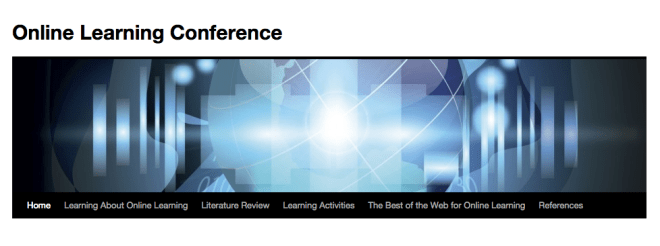
I created the attached online learning conference with two of my peers in the Master of Educational Technology course, ETEC 512, Applications of Learning Theories to Instruction, to summarize my belief that online learning environments are best designed from a constructivist perspective that is learner, content, community, and assessment centered.

A teachers role in twenty-first century education is (in my opinion) far more complex than it once was. Anderson (2008) argues in his article, Toward A Theory of Online Learning, that online learning is “often limited by bandwidth constraints, which limit the users’ view of body language and paralinguistic cues” (p.47). I think that the onus falls on a teacher in an online classroom to plan activities that make a learner’s pre requisite knowledge known, (such as self-assessment activities, surveys, and questionnaires) and thus rely less on body language and paralinguistic cues; which in actual fact could be easily misunderstood and are at best a subjective form of assessment. Online learning may be more challenging to design, and to facilitate, but it is also far more objective.  I would argue that this makes online learning better. The teacher in an online classroom is the facilitator and the architect of a safe and stimulating learning environment.

With respect to context, I instinctively believe that online education is better suited to a mature learner. The online learner has the responsibility to participate, to read the material, and to contribute to the discussions. The online learner must be capable of self-reflection, be intrinsically motivated, and have the academic confidence to be honest when self reporting. If we measure what we have learned simply by comparing where we began to the spot where we end, then honesty and our ability to be humble in our pre-assessment is critical to determining our ultimate success.

In the attached website we have provided a framework for educators to link the theories of online learning to their practices. We have made use of numerous web 2.0 tools, such as concept maps, podcasts, infographics, videos, and embedded presentations, to reinforce our belief that online learning is best received when it is interactive, visual, and easily summarized as well as understood.

Please click on the image below to visit the Online Learning Conference.
Screen Shot 2015-04-03 at 2.22.26 PM

References

Anderson, T.  (2008). Towards a theory of online learning.  In T. Anderson & F. Elloumi (Eds.), Theory and practice of online learning, Athabasca University. Retrieved from http://www.aupress.ca/books/120146/ebook/02

Avenia, T., Campbell, G., & Einarson, N.  (2012). Online learning conference [website]. Retrieved from https://etec512olc.wordpress.com/

Explain Everything

To support the use of iPads in a school that I have worked with, I created a tutorial to teach users how to use the iPad application, Explain Everything.

Explain Everything is a screencasting and interactive whiteboard tool that lets a user “annotate, animate, narrate, import, and export almost anything to and from almost anywhere”(Cook, para.1). I created the tutorial displayed below on an iPad using the recording feature embedded in the application.

I hope this tutorial helps you when creating your next beautiful presentation.

References

Avenia, T. (2014) Introducing Explain Everything.

Cook, M. (n.d.). Explain Everything. Retrieved March 19, 2015 from iTunes preview website: https://itunes.apple.com/ca/app/explain-everything/id431493086?mt=8

The Future of Technology

The History, Present and Future of Educational Technology: Web 2.0 and Beyond:

The Masters of Educational Technology course, Text Technology: The Changing Spaces of Reading and Writing, introduced me to the debate that is concerned with the role that technology has played to modify both reading and writing processes. I began the course with a simplified definition of text, something that is written, and technology, a tool that aids production. Thirteen short weeks later, after reading “Orality and Literacy” and, “Writing space: Computers, Hypertext, and the Remediation of Print”, among others, I would argue that text is no longer something that is written. Text is technology, it is a thought process, it is a picture, a video, a podcast, and is represented everywhere in everything.
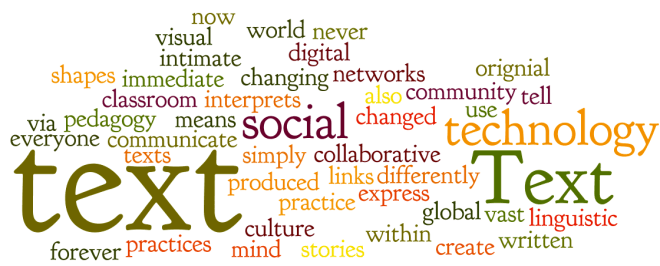
Text-word-art

Technology is another ambiguous term, it has been defined as  “an application of … knowledge for practical ends” (Dictionary.com, technology). Educational technology is a conglomerate term that suggests an updated teaching pedagogy, a transition to a student centered classroom and a combination of tools that are meant to facilitate learning. I have considered how educational technology has influenced the written word. I might argue that the walls of our future classrooms are coming down and in their place a global collective intelligence will surmount.

Have you ever considered what the future of educational technology will become?

I was onced asked, what do you think the role of educational technology will be five years from today?

To answer this, you must begin with the past.
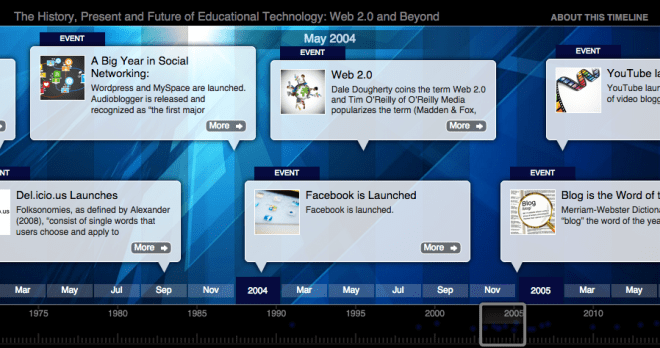
TikiToki

Please follow this path to view a timeline documenting the history, present and future of educational technology.

All references used in the creation of this timeline are located in the final entry of the timeline.

References

Avenia, T. (Artist). (2012). Text Word Art [Image file].

Avenia, T. (2012, Nov. 25). The history, present, and future of educational technology: Web 2.0 and beyond [web timeline]. Retrieved March  from http://www.tiki-toki.com/previewembed/entry/75467/0908883653/900/480/

Bolter, J.D. (2001). Writing space: Computers, Hypertext, and the Remediation of Print. [2nd Ed.]. Mahway, NJ: Lawrence Erlbaum.

Ong, W. J. (2002). Orality and Literacy [2nd Ed.]. New York: Routledge.

technology. (n.d.). The American Heritage® Science Dictionary. Retrieved March 19, 2015, from Dictionary.com website: http://dictionary.reference.com/browse/technology

The Effect of one-to-one Technology on Students’ Engagement and Approach to Learning

I designed a mixed-method, causal-comparative action research project to determine how one-to-one technology affects students’ engagement and approach to learning when it is introduced into a Grade 7 classroom. This action research has been designed after noticing that one-to-one technologies are gaining popularity in elementary and secondary education, and also remarking on the need for educational technology research that focuses on elementary aged students.
I have worked in K through 12 education for the better half of a decade and I have noticed that technology use is on the rise. In general, most students have access to technology at home and are intrigued by the use of technology at school. After noticing this, I designed this research study to determine what effect the technology was having on engagement, and as a catalyst toward student success.
This research has made use of purposive sampling, targeting female students, aged 12 to 13 years, who attend a non-denominational private day school for girls. The analyzed data, comprised of survey research from the students, in class observations, and interviews with the classroom teachers, supports that one-to-one technology has had a favourable effect on classroom engagement and the students’ approach to learning.
My research report has been published on Academia.edu. You can click the link below to read the report.
academiaLogo

As you read the document, please consider the technology that you include in your classroom and the impact that these tools bring to improve understanding as well as better immerse your students in the lesson content.

I believe that technology is a tool; it can motivate students, connect people, and diversify a lesson. Technology however, cannot transform a poor lesson into something great; only a good teacher can do this.


Reference

Avenia, T. (2014). The effect of one-to-one technology on student engagement and approaches to learning (Masters report). The University of British Columbia, Vancouver, BC